Use case
A project is the unit of work
The problem
What gets in the way
People copy the same work into a board, a doc, and a calendar. The copies drift. Status meetings become archaeology.
What changes
After you start using it
- 01
One set of tasks, several views
- 02
Statuses you define for the project
- 03
Milestones, a canvas, and templates when a project repeats
Workflow
From empty project to a board you trust
- 01
Create a project in the workspace. Name the statuses the way you already speak.
- 02
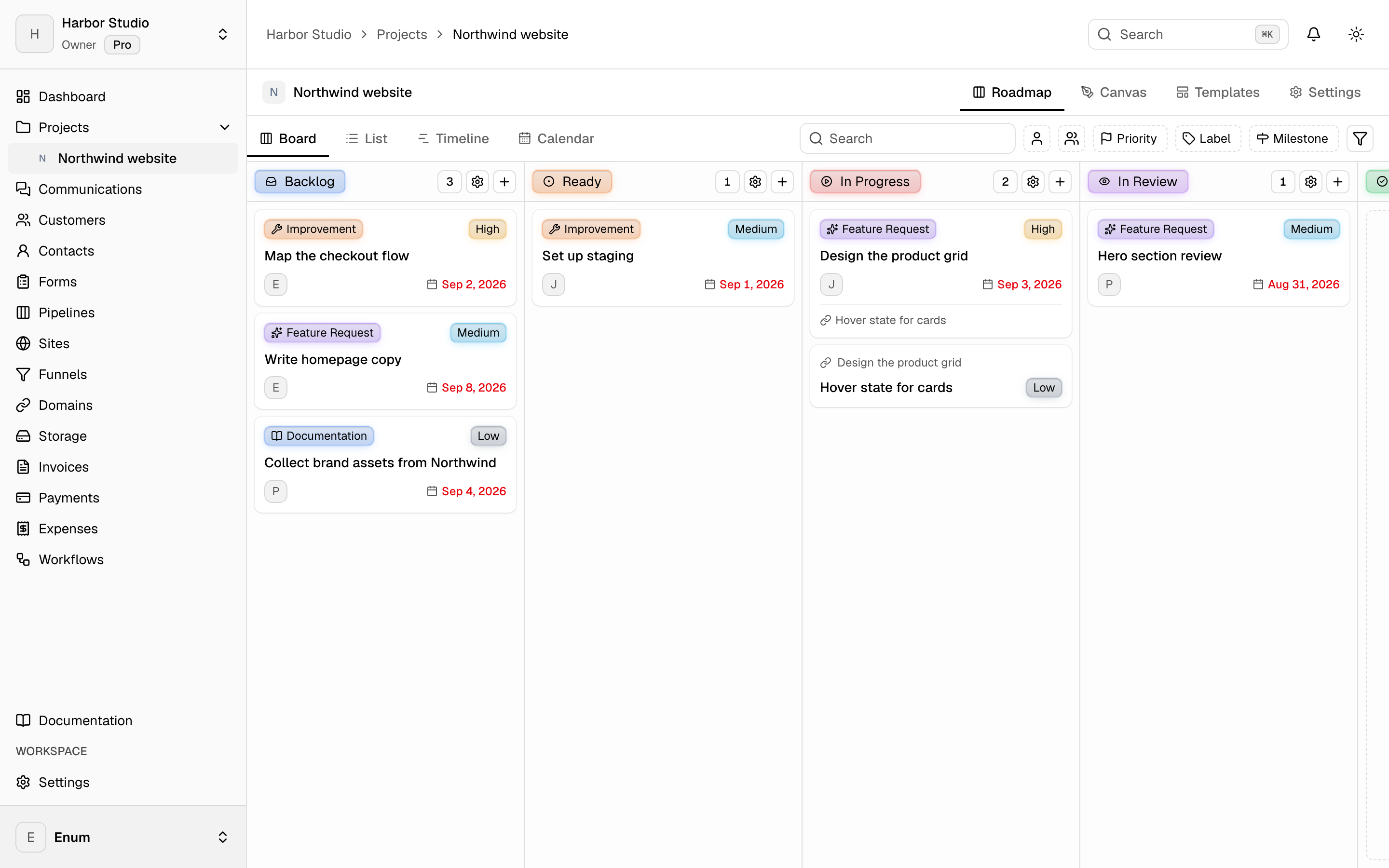
Add tasks as they appear. Drag them when status changes.
- 03
Switch to list, timeline, or calendar when that view answers the question faster.
What you use
Capabilities in this job
- 01
Projects
A workspace holds projects. A project holds statuses and tasks. The board is the live view: columns are statuses, cards are tasks. List, timeline, and calendar show those same tasks. A canvas sits on the project for the sketch that is not a task yet. Templates start the next card from work you already shaped. Opening a task uses the inspector so you stay on the view.
Questions