For freelancers
Client work and the rest of your week, in one workspace
The problem
What gets in the way
Freelancers often track the job in one place and the money in another. When a client asks where things stand, you rebuild the answer from memory, email, and a spreadsheet.
What changes
After you start using it
- 01
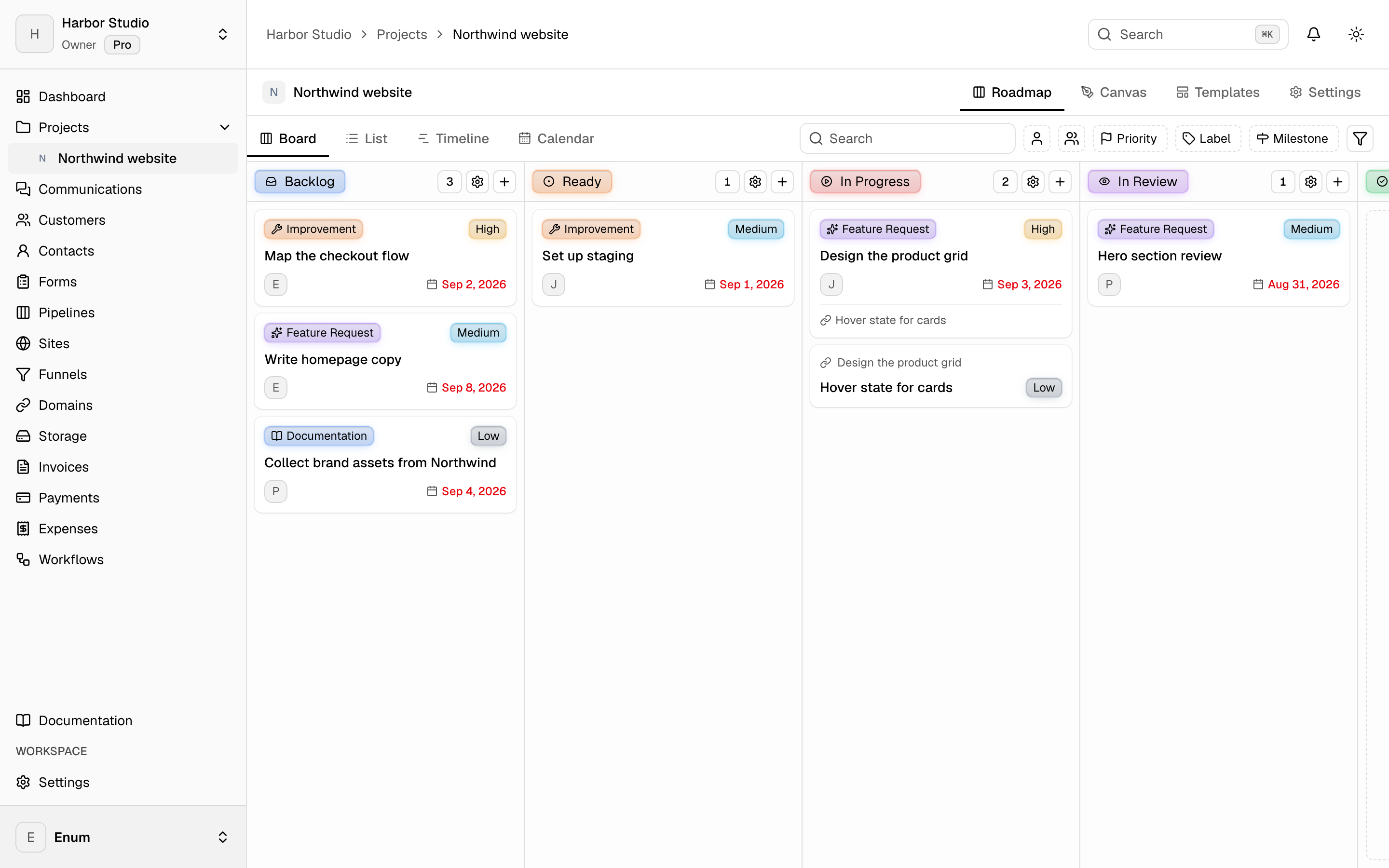
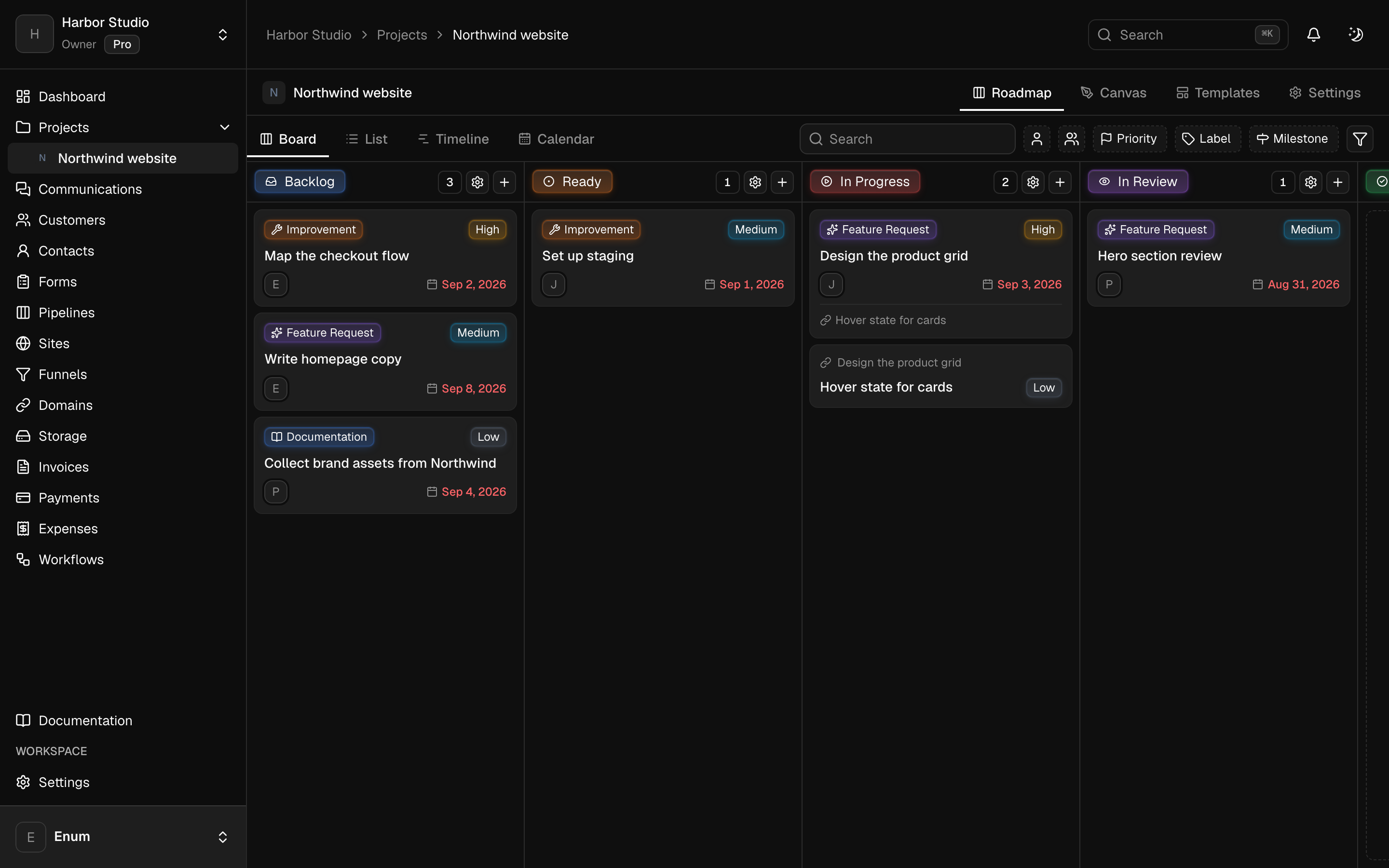
Each client engagement is a project with a board you can open in a meeting
- 02
Invoices can sit next to the work instead of in a separate bookkeeping tab
- 03
A form or a site can live in that workspace, and personal admin can live in another so it does not mix with client work
Workflow
A typical freelance week
- 01
Create a workspace for your practice, or keep a second one for personal lists.
- 02
Add a project per client or engagement. Put tasks on the board as the work arrives.
- 03
When something is billable, create the customer and invoice in that same workspace.
What you use
Capabilities in this job
- 01
Projects
A workspace holds projects. A project holds statuses and tasks. The board is the live view: columns are statuses, cards are tasks. List, timeline, and calendar show those same tasks. A canvas sits on the project for the sketch that is not a task yet. Templates start the next card from work you already shaped. Opening a task uses the inspector so you stay on the view.
- 02
Clients
Keep the people you work with next to the projects. A customer is the account. Contacts are the people on it. Tags group both. A pipeline is a board of opportunities, and each card is a deal. You can turn this off in workspace settings if you only want projects.
- 03
Money
Draft an invoice, finalize it, and send a pay link. Record the payment when it lands. Track expenses against categories and budgets, then close the period. Clients open their invoices from a magic link. They do not join the workspace. Card, PayPal, Wise, and bank details belong to that workspace. Planeward does not take a cut.
Questions